
New Feature: Native GLB Support in Maverick Excelsior
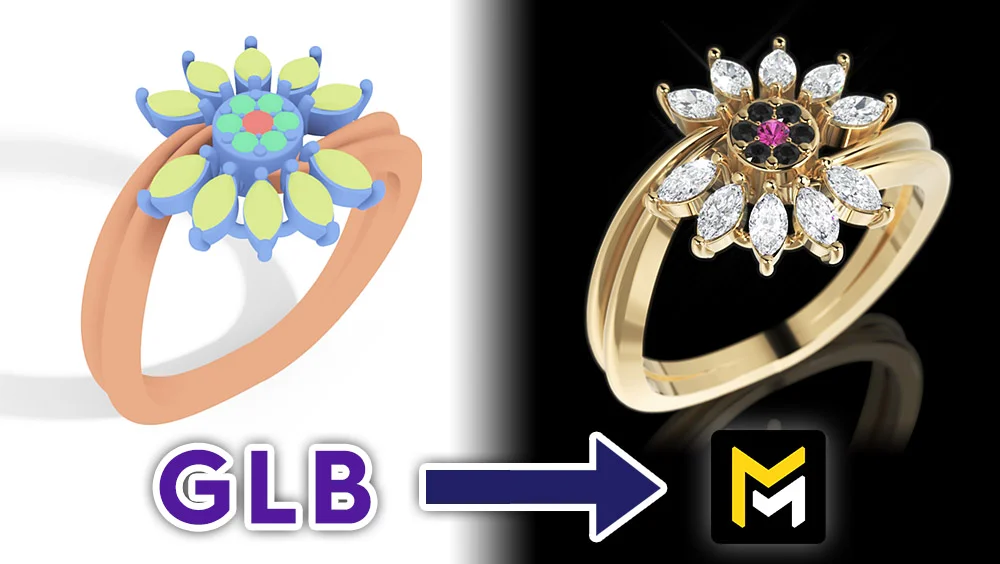
New Feature Alert: Native GLB Support in Maverick Excelsior
In the fast-paced and detail-oriented world of 3D design, especially within the jewelry sector, efficiency and seamless interoperability are essential. That is why we are thrilled to announce one of our most anticipated features: full native support for importing GLB files directly into Maverick Excelsior.
The GLB Format in Jewelry
If you create jewelry designs or jewelry models for the web, you are likely already familiar with the GLB format. It has quickly become an industry standard because it neatly packs all geometry and material data into a single, highly efficient file.
Original design files (like those created in Rhino 3D, MatrixGold, or Matrix) are exceedingly heavy and not possible to load on a webpage. The GLB format compresses geometry without sacrificing visual quality, achieving extreme compression rates thanks to Google's Draco algorithm, which results in incredibly lightweight file sizes.
This makes GLB the ideal format for sharing models online and moving projects across different software platforms without losing critical data.
Key Insight: Maverick Excelsior features its own proprietary output format called WEBEX. It combines all the benefits of the GLB format while also protecting your models against unwanted theft, a growing concern in today's online world. If you use standard GLB files on your website, your models are exposed and can easily be downloaded and imported into any 3D software. The WEBEX format, however, is a closed ecosystem that can only be read within Maverick Excelsior.
Seamless Drag-and-Drop Workflow
Our latest update completely removes any technical friction importing GLB files. You can now take models exported from other software and simply drag and drop them straight into the Excelsior Editor.
Even if your layer names don't perfectly match our standard conventions right out of the gate, the setup process is incredibly intuitive. By simply renaming any unrecognized layers and tagging them with predefined material families, such as "gemstone" or "metal", Excelsior will automatically apply its photorealistic materials and grant you access to the appropriate library for every specific case.
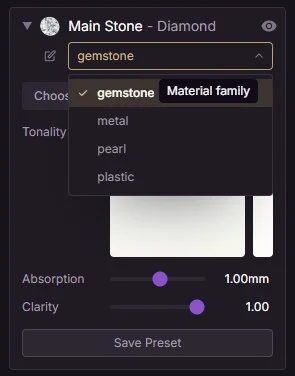
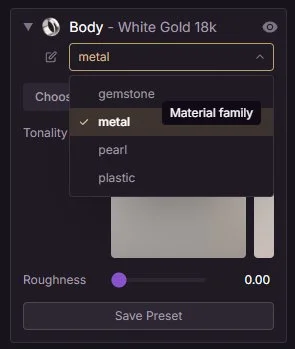
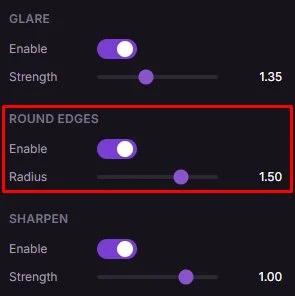
Pro Tip: When working with imported GLB files, we highly recommend using the "Round Edges" feature. Imported geometry can sometimes have harsh, sharp edges; this tool automatically softens them, giving your high-end jewelry a much more natural, realistic, and polished look.
Lightning-Fast Presentations with the New QUICK VIDEO MODE
It's not just about getting your models into the software; it's about making them look breathtaking in record time. Once your GLB file is set up, staging your scene is incredibly easy and intuitive. By navigating through the different configuration panels, you can pose your jewelry, add depth of field to boost realism, or use one of our latest sunlit Ambiences to give your design extra character.
Furthermore, with the introduction of our new Quick Video mode, you can render out videos in mere seconds. This new rendering mode allows you to generate videos 10x faster than traditional method (averaging 25 seconds versus 3 minutes).
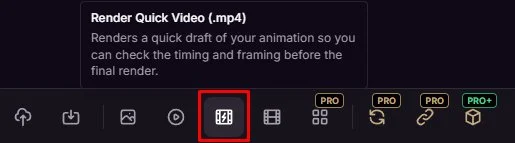
Check out these examples rendered in the blink of an eye!
The drop in quality is often imperceptible, which is why we are convinced that the QUICK VIDEO mode is an absolute game-changer for social media and client communications, where time is money.
Of course, we still recommend generating videos using the standard rendering feature when time isn't an issue. But sometimes you just need to fire off a quick video to a client via WhatsApp, and with QUICK VIDEO mode, you get blazing-fast speeds without compromising much on quality.
YouTube Tutorial
Check out the full video tutorial about GLB Import on our YouTube channel:
Conclusion
This new GLB support is designed to let you effortlessly test models exported from other 3D software and jewelry visualization platforms.
Compare the top-tier quality Maverick Excelsior offers with just a few clicks, and say goodbye to showing your clients fake-looking, synthetic renders. When it comes to photorealistic image and video presentations, the next sale of your design is on the line!
We invite you to drag your first GLB file into Maverick Excelsior today and experience the speed of the new QUICK VIDEO mode for yourself!