Maverick Render vs. Maverick Excelsior
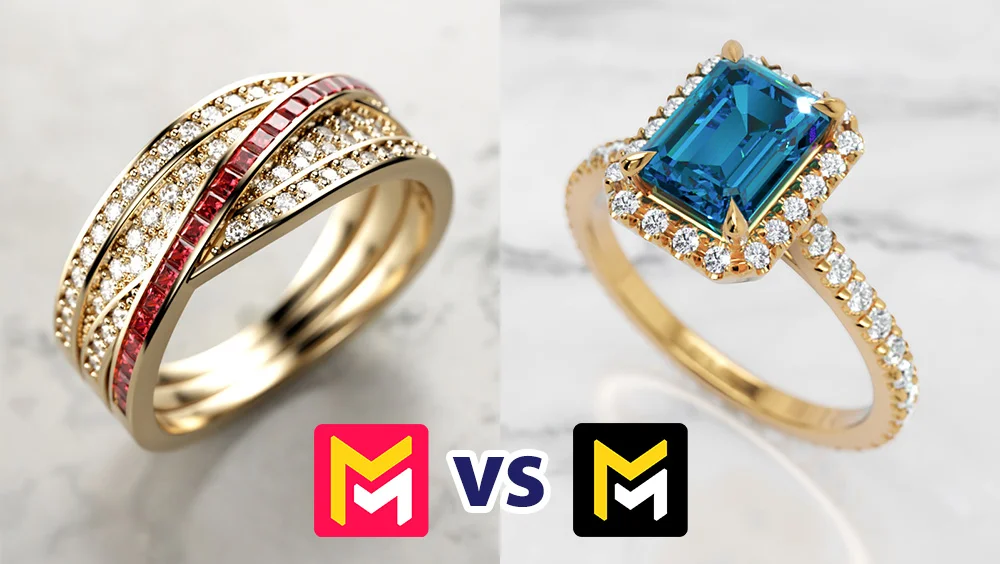
The BIG question
Hi everyone, I'm Victor Loba, Product Manager and CG Supervisor at RandomControl. I've been in Computer Graphics for 25 years, and in this post I'd like to answer the question we get asked most often in our Support channel:
What's the difference between Maverick Render and Maverick Excelsior,
and how do you know which one's right for you?
The Maverick Render family
At RandomControl, we have two products under the Maverick Render banner: Maverick Studio and Maverick Indie.
Maverick Studio is a renderer designed for product visualization. That means anything from industrial design, electronics, automotive, cosmetics, you name it. Most of the models come from CAD software and technical formats like .3dm or .step.
Of course, jewelry visualization is a huge part of this market too, with models coming from Rhino, Matrix, MatrixGold, RhinoGold, Jewelry Cad Dream, and others.
The main competitor here is KeyShot, and we get a lot of customers switching over because they want something easier to use, faster, more photorealistic, and more affordable.
Maverick Indie is basically a lighter version of Maverick Studio. It doesn’t support CAD formats, but it’s very popular among artists working with tools like ZBrush, Substance Painter, or general-purpose 3D apps like 3ds Max, Maya, Blender, and Cinema 4D.
Both Studio and Indie require a powerful Windows PC with an NVIDIA GPU.
Maverick Excelsior
Maverick Excelsior is a whole different story. It’s built exclusively for jewelry visualization, and it works with .3dm models from Rhino, Matrix, MatrixGold, RhinoGold, or any other Rhino-based jewelry modeling plug-in.
Everything about Excelsior is tailored for jewelers working with 3D designs. It lets you create photorealistic renders and videos, but its real strength is that it also produces interactive files that can be viewed on any device.
Excelsior runs directly in your web browser, no installs, no special hardware required, and it works on any operating system, including macOS.
Our typical users are jewelry designers with online shops, designers working for bigger distributors, hobbyists, and students getting started in the jewelry industry. What they all have in common is wanting to showcase their creations with realistic images and videos that attract clients.
Why create Maverick Excelsior if Maverick Render already works for jewelry?
Here’s the backstory:
Over the last five years, Maverick Render has become very popular among jewelers. Many switched from KeyShot, Rhino’s Cycles, or Matrix’s V-Ray-based versions because they weren’t happy with the results. And when they tried Maverick Studio, most of them were blown away by how realistic the lighting and materials looked.
But we also noticed a recurring theme: some users had little to no rendering experience and just wanted to make great-looking ring renders without having to learn extra features they didn’t care about.
This kept coming up in our weekly meetings.
Our CEO and Lead Engineer, Chema Guerra, has been creating rendering tech for 25 years: Fryrender, Arion Render, and recently Maverick Render. He has also been researching real-time rendering engines for a long time as well.
This was the spark that led to Maverick Excelsior. We wanted something light-weight, that would run on any computer, GPU, or OS, with zero installation friction. Something that would even work on tablets and phones.
After a year and a half of development, Maverick Excelsior was born.
The idea behind Maverick Excelsior
Our goal was clear: make software that’s dead simple to use but still delivers the level of quality expected in professional jewelry visualization.
We created a set of Ambiences designed specifically for jewelry, most of them based on real photography setups. Our default Ambience, for example, recreates the well-known GemLightbox, a clever tool jewelers use to perfectly light real jewelry pieces for photos and videos.
Lighting diamonds and gemstones is notoriously tricky. They’re cut to catch and reflect as much light as possible, which makes them hard to shoot without either washing them out or making them look flat. In Excelsior, our tech handles this automatically, so your gems and diamonds always look stunning with zero effort.
In Maverick Render you can absolutely get the same results, but it takes some lighting knowledge, just like real-world jewelry photography. An amateur can snap a photo of a diamond ring, but without the skills of a pro, it won’t look great.
So, which one should you pick?
Maverick Render is a full-featured rendering suite. It gives you control over every detail, materials, lighting, scene setup. It’s user-friendly, but still requires some know-how and time to get the most out of it. You’ll need a Windows PC with a modern NVIDIA GPU. Renders and videos take time to process, and there’s no option to create interactive models.
Maverick Excelsior is all about simplicity and speed. Import your .3dm model, assign materials from our jewelry-focused libraries (metals, gems, diamonds, pearls, enamels), pick an ambience, and you’re done. Everything runs in real time, renders are instant, videos take a few minutes, and you can even generate interactive files for your website or clients. Works on any device, no installs, no special hardware.
Two types of users
There are really two main user profiles:
| User | Description | Right Choice |
|---|---|---|
| A | Works with more complex materials, enjoys building and lighting custom scenes, doesn't mind spending time fine-tuning. Already owns a powerful NVIDIA PC. Only needs renders and videos, no interactive files. | Maverick Render |
| B | Works with more standard jewelry materials, prefers to keep things simple, wants quick, consistent results. Doesn't have (or want to buy) a high-end GPU, and wants to create interactive files for clients or websites. | Maverick Excelsior |
From our experience, about 70% of our jewelry users are better off with Maverick Excelsior, while the other 30% are advanced users who prefer the flexibility of Maverick Render.
That's it for now! I hope you found this post helpful. If you have any questions, we're always happy to help through the Support chat or at [email protected]
Cheers,