Embedding a Viewer in Your Website
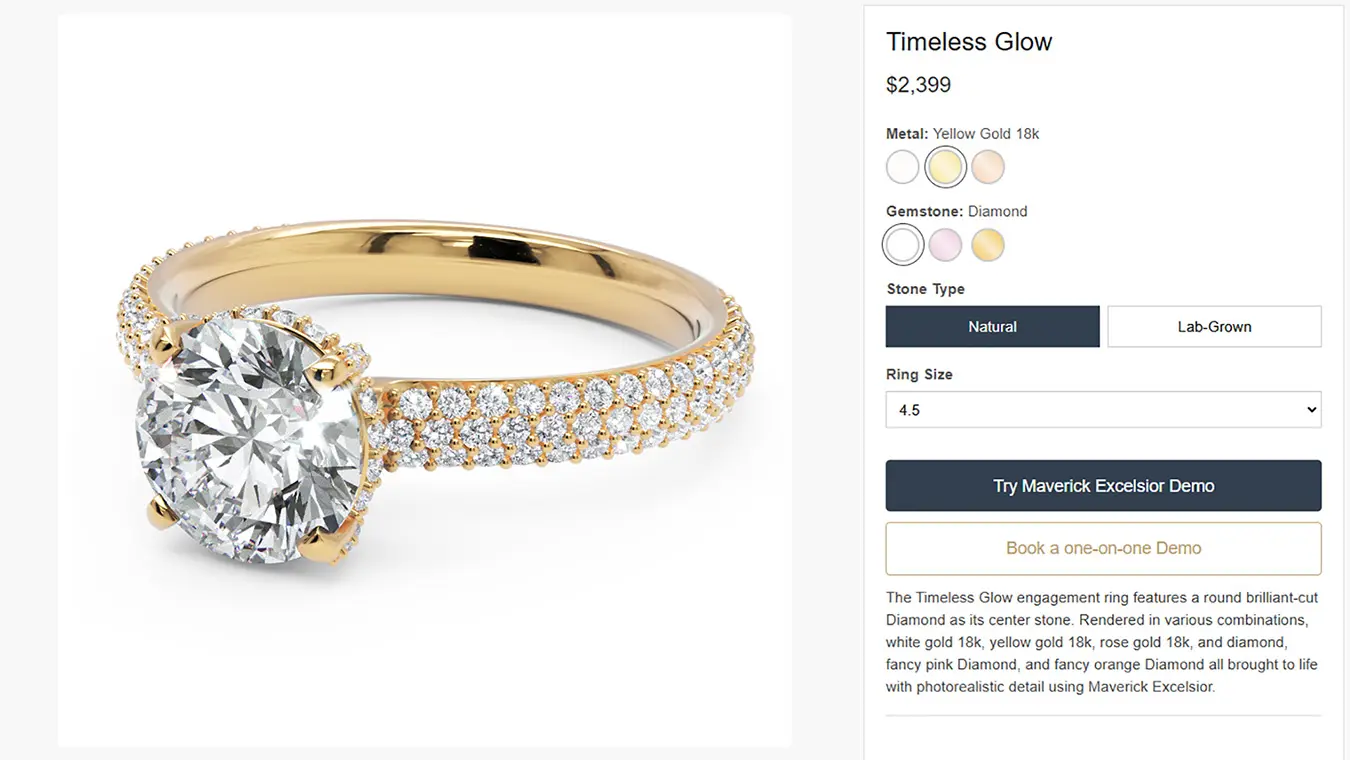
Let's be clear from the start: if all you want to do is share your design via social media or present an isolated view in your website, the iframe method is your friend (as described in our most recent post). It's dead simple and requires zero coding.
But what if you want to host the viewer yourself? Maybe you want it on your company's domain, or you need complete control over how it looks and behaves. That's what we'll be covering today.
The Simplest Self-Hosted Viewer
Here's the entire code you need. Yes, really, this is it:
<!DOCTYPE html>
<html lang="en">

<head>
    <meta charset="UTF-8">
    <meta name="viewport" content="width=device-width,initial-scale=1">
    <title>Maverick Excelsior Viewer</title>
    <link rel="preconnect" href="https://cdn.jsdelivr.net">
    <link rel="dns-prefetch" href="https://cdn.jsdelivr.net">
    <style>
        body {
            margin: 0;
            padding: 0;
            overflow: hidden;
        }

        #viewer-container {
            width: 100vw;
            height: 100vh;
            position: relative;
        }

        #canvas-viewer {
            width: 100%;
            height: 100%;
            display: block;
        }
    </style>
</head>

<body>
    <div id="viewer-container">
        <canvas id="canvas-viewer" width="350" height="350"></canvas>
    </div>

    <script>
        function load_script(src) {
            return new Promise((resolve, reject) => {
                const script = document.createElement('script');
                script.src = src;
                script.onload = resolve;
                script.onerror = reject;
                document.head.appendChild(script);
            });
        }

        async function init() {
            const cdn_base = 'https://cdn.jsdelivr.net/gh/randomcontrol/webex-viewer@latest';

            await load_script(`${cdn_base}/webex-viewer-module.js`);

            window.Module = window.Module || {};
            window.Module.json = {
                set_clear_color: '000000',
                open_scene: 'https://mycompany.com/maverick-excelsior-demo.webex'
            };

            await load_script(`${cdn_base}/webex-viewer.js`);
        }

        if (document.readyState === 'loading') {
            document.addEventListener('DOMContentLoaded', init);
        } else {
            init();
        }
    </script>
</body>

</html>
The Only Thing You Need to Change
See line 55 in the code above? That's the only line you need to modify:
open_scene: 'https://mycompany.com/viewer/mydesign.webex'
Replace that URL with the path to your .webex file. Important: The .webex file must be hosted at the SAME domain as your index.html file. That's a security requirement (CORS policy).
So if you place this HTML file at https://mycompany.com/viewer/index.html, then your .webex file should be something like https://mycompany.com/viewer/mydesign.webex.
That's literally all you need to know if you have very little web development knowledge. Save this as index.html, put it on your server along with your .webex file, and you're good to go!
What You Get
Out of the box, this gives you a full-page viewer that takes up the entire browser window.
But maybe you want the viewer to be responsive and with a maximum size:
#viewer-container {
    width: 90%;
    max-width: 1200px;
    aspect-ratio: 16/9;
    margin: 0 auto;
}
The beauty is that you're now working with standard web technologies. Anything you can do with CSS or JavaScript, you can apply here. Want it in a modal popup? Sure. Side-by-side with product details? No problem. Embedded in a carousel? Go for it. Your imagination (and your CSS/JS skills) are the only limits.
Note that the only essential parts of this file are the <div> container and the <script> block. You can copy just those two elements into any existing HTML page and build from there.
What Can You Build on Top of This?
Our own https://maverickexcelsior.com/viewer and /iframe websites were built upon this exact same file. We just added:
- A header title and copyright footer
- Buttons to share, spin, zoom in/out
- Support for URL parameters (to load different models)
- A UI overlay for material configurators
- ...
These are all things you (or your webmaster) can do in JavaScript with the style that you want, integrated into the look and feel and branding of your website. But yes, you'll have to roll your sleeves up a little bit.
In a future post, we'll discuss how to have the rest of your website and the viewer interact for things such as changing materials, like in our jewelry catalog. You'll be able to trigger material changes from your own buttons, which then may update the order price dynamically, and create a fully integrated shopping experience.
The Bottom Line
If you're okay with the look of our stock viewer, then just use an iframe as described here and you're good to go. It takes 30 seconds and works everywhere. Hosting is included in your paid subscription. No need to deal with FTP, CDN, files, or programming.
But if you want full control, want to host on your own domain, or need to customize everything, now you know how simple the foundation really is.
For comprehensive documentation of all supported options and advanced features, check out docs.maverickexcelsior.com. And if you get stuck or have questions, don't hesitate to drop us an email!
Happy hosting!